
AstrBot - Agent Chatbot
AstrBot Configuration Tutorial — Integrating the open-source Agent chatbot platform with 蒜粒矩阵 to inject AI capabilities into instant messaging platforms like QQ, Feishu, DingTalk, and WeChat Work.
AstrBot is an open-source, all-in-one Agent chatbot platform that seamlessly integrates large language model capabilities into mainstream instant messaging software such as QQ, Feishu, DingTalk, and WeChat Work, creating a reliable and scalable conversational AI infrastructure for individuals, developers, and teams. Whether it's a personal AI companion, intelligent customer service, automation assistant, or enterprise knowledge base, AstrBot can quickly build production-ready AI applications within your instant messaging platform's workflow.
- Official Website: https://astrbot.app
- Official Documentation: https://docs.astrbot.app
- Project Homepage: https://github.com/astrbotdevs/astrbot
蒜粒矩阵 Integration Method
AstrBot supports integrating 蒜粒矩阵 as a model provider, allowing users to access and utilize various AI model services through 蒜粒矩阵.
Configuration Steps
Obtain 蒜粒矩阵 API Key
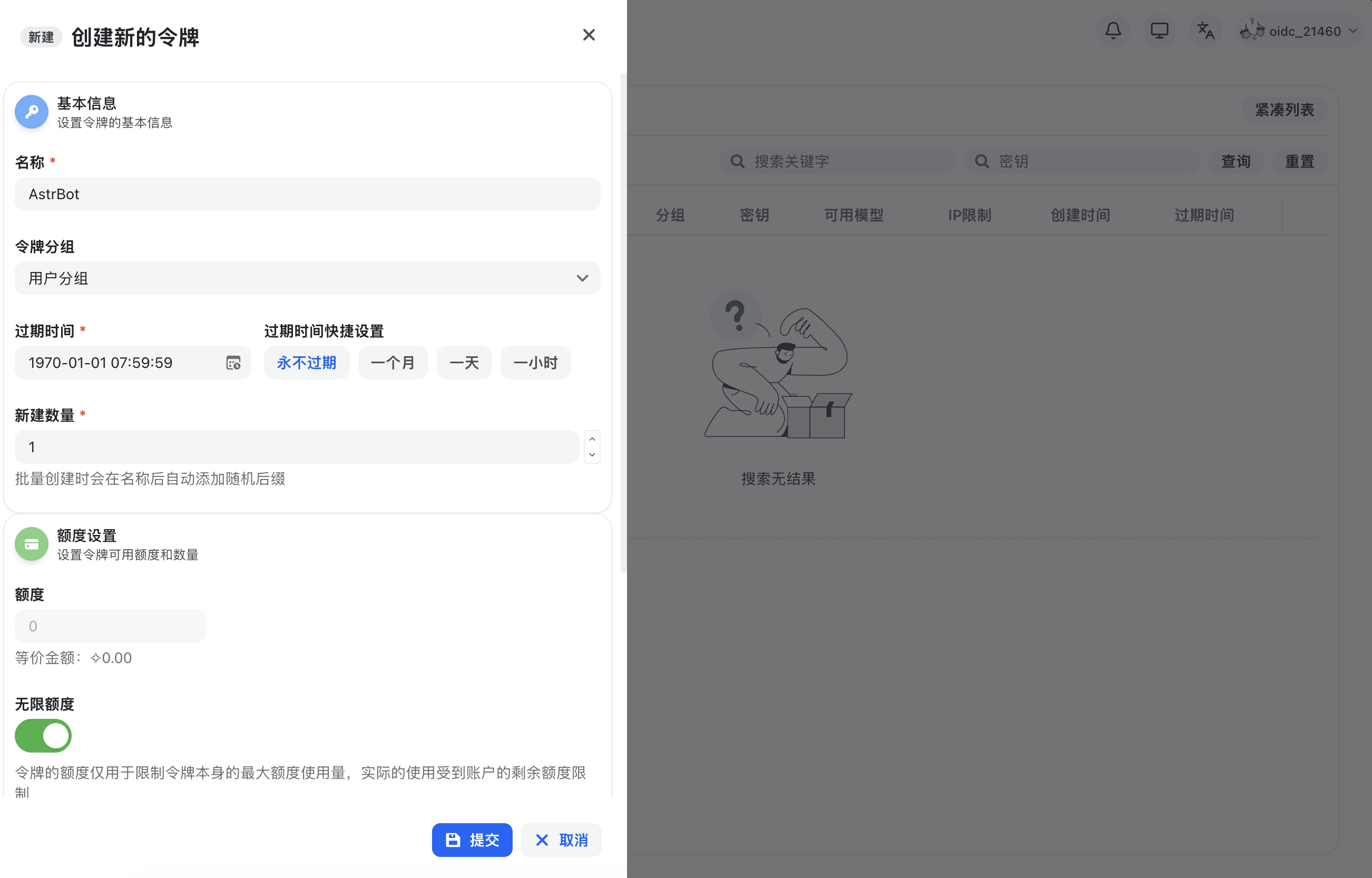
After registering and logging into 蒜粒矩阵, click 'Console' in the top navigation bar, then click 'Token Management', and then click the 'Add Token' button to create a new API Key. Select the appropriate permissions and click 'Create'.
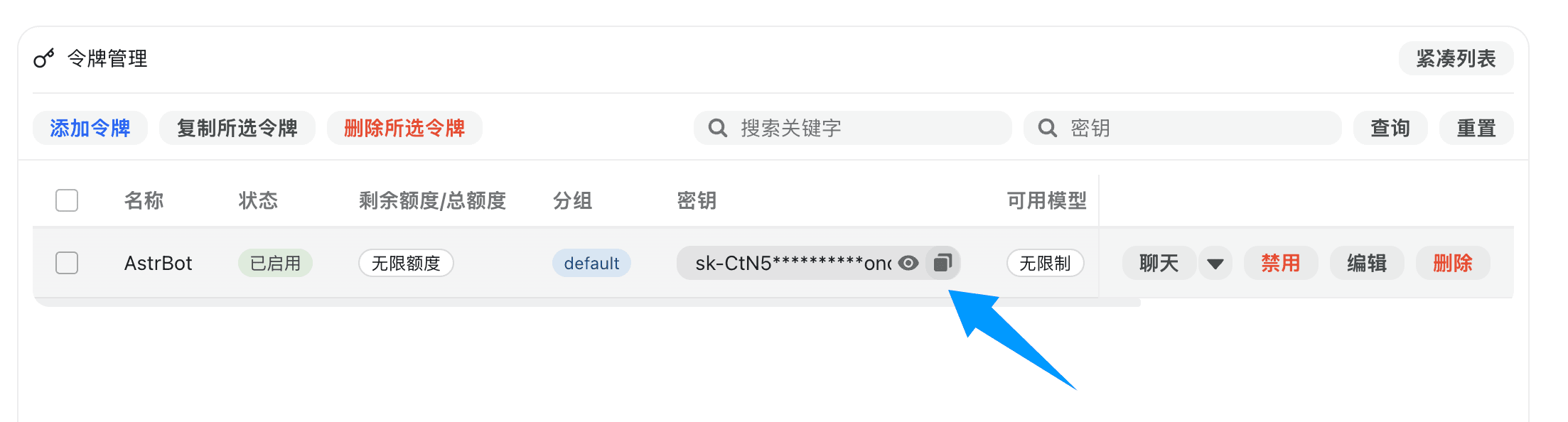
After successful creation, click the 'Copy Key' button to copy the generated API Key.
Configure 蒜粒矩阵 Service Provider in AstrBot
Open the AstrBot administration panel, go to the 'Model Providers' page, then click the 'Add Model Provider' button.
蒜粒矩阵 perfectly supports OpenAI Chat Completion and Responses interfaces. Click 'OpenAI' to enter the OpenAI provider configuration page.
In the pop-up dialog, set the API Base URL to the 蒜粒矩阵 interface address. for example, https://suanlijuzhen.com/v1.
Then, enter the API Key into the 'API Key' field and click the 'Save' button.
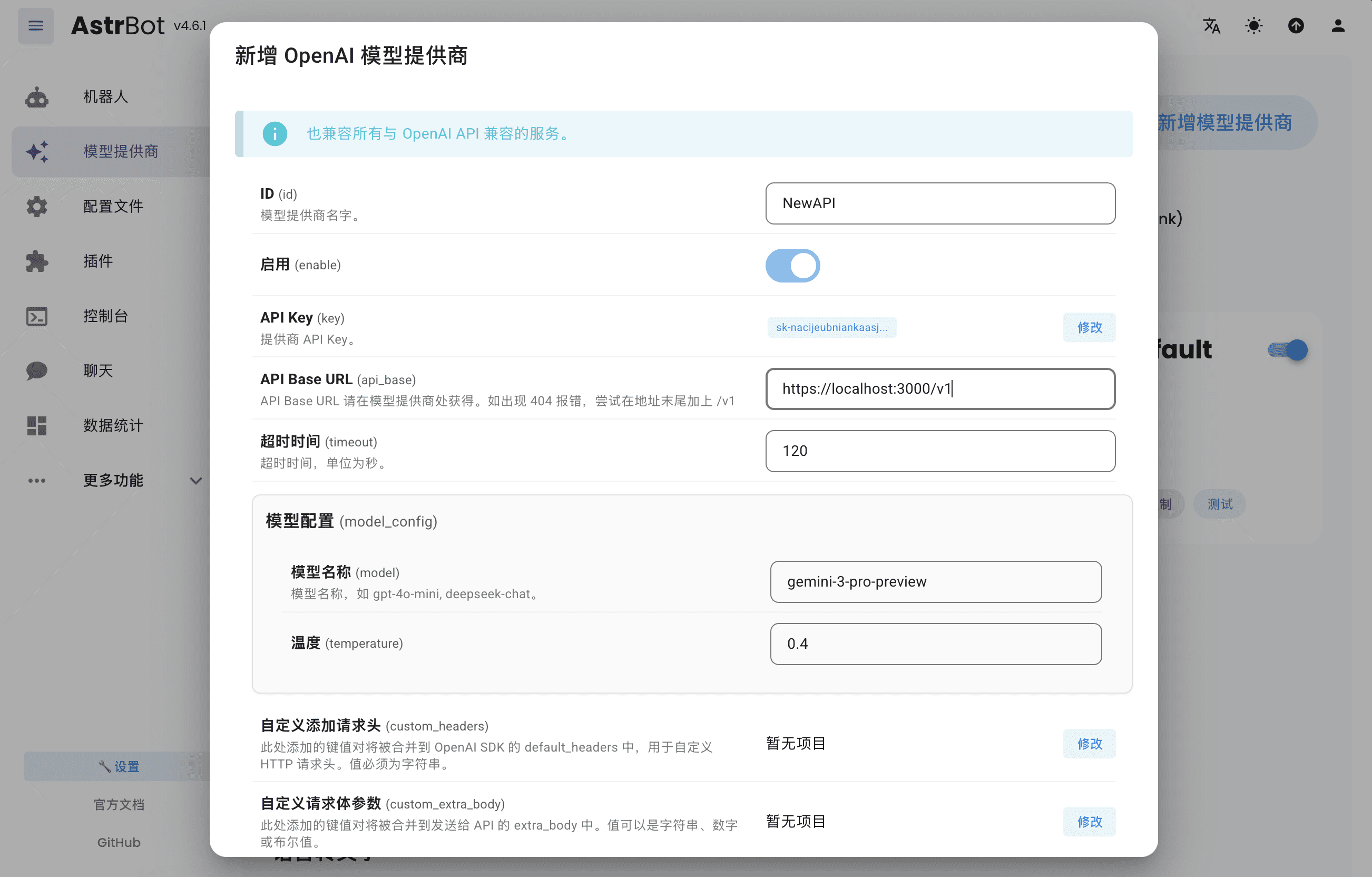
Then click 'Save' to complete the 蒜粒矩阵 provider configuration.
Apply Service Provider
Go to the 'Configuration File' page, find the 'Model' section, change the 'Default Chat Model' to the 蒜粒矩阵 provider you just created, and click the 'Save' button.
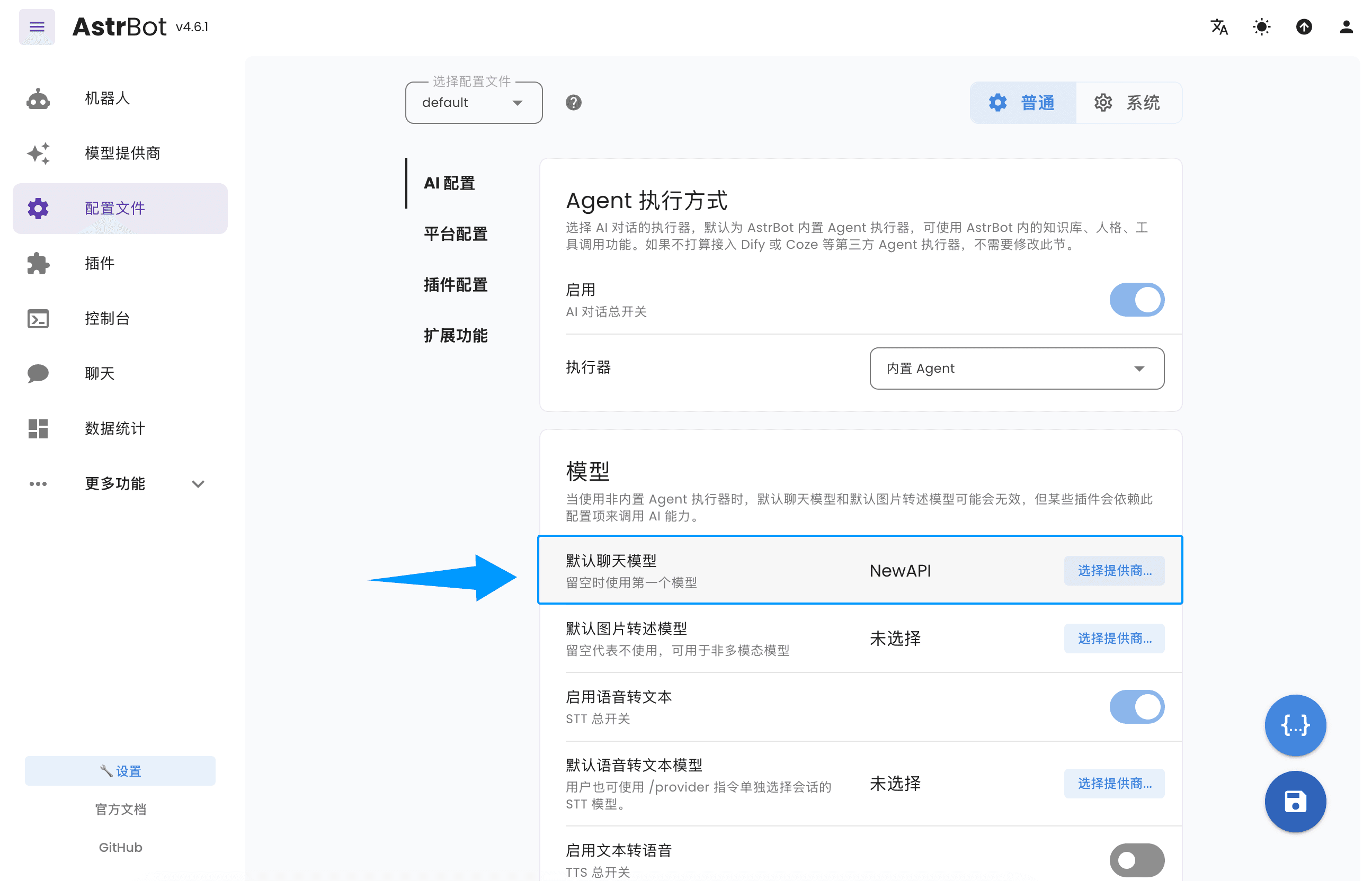
At this point, you have successfully configured 蒜粒矩阵 as AstrBot's model provider. Now, you can access and use various AI model services provided by 蒜粒矩阵 through AstrBot.
Last updated on